
 DE
DE  EN
EN Solutions · Sustainable IT Savings
Sustainable IT Energy Savings with Endpoint Power Management
Auto Shutdown Manager by EnviProt helps organizations reduce avoidable PC runtime while keeping endpoints available for users, remote work, patching, scans and maintenance. The business case is not only the power bill: it also includes less manual IT effort, fewer user interruptions and a more reliable maintenance routine.
The operational savings gap
Energy savings fail when endpoint availability is treated as an afterthought
Many organizations know that PCs remain powered longer than needed. The difficult part is not the idea of shutting them down. The difficult part is doing it without interrupting users, missing maintenance windows, breaking remote access or creating a new pile of scripts and exceptions.
Unnecessary runtime
Idle PCs can remain on overnight, over weekends or after shared-device use, even when no operational work is planned.
User disruption risk
A power policy that ignores real users, open work, presentations or exceptions can quickly create support tickets and distrust.
Maintenance conflicts
Patch windows, scans, backups and administrative work need the right endpoints awake at the right time.
Unproven savings
Management and procurement need estimates, reports and a pilot path, not vague claims about “green IT”.
Proof, benchmarks and realistic claims
The potential is real — but it must be validated in your environment
Energy savings are usually the easiest part of the business case to calculate. Public benchmarks and ASDM case-study material show that the potential can be material, but the final number depends on device count, runtime, electricity cost, hardware, network wake behavior and policy scope.
UC Berkeley case study
ENERGY STAR case-study material reports that, for a monitored desktop population, UC Berkeley saved about 80% of what would otherwise have been spent for that group with Auto Shutdown Manager.
MISD deployment proof
EnviProt’s ASDM material describes Mesquite Independent School District managing power and updates across 8,500 PCs on 47 campuses, including scheduled wake for updates.
University environment
ASDM case-study material for Osnabrück University describes a deployment for more than 120 PCs and a short payback period in that specific environment.
24/7 operating context
ASDM case-study material for Kliniken Essen-Mitte describes a hospital setting with around 800 PCs and the need to reduce consumption without disrupting clinical workflows.
How to read “up to 80%”
Use strong savings examples as proof of potential, not as a blanket guarantee
“Up to 80%” is a useful proof point when tied to documented scenarios. It should not be presented as a guaranteed result for every customer. The responsible message is: estimate, pilot, measure and validate in your own environment.
External benchmark context
Power management is recognized as a practical savings lever
External energy-efficiency material gives useful context, but it is not a substitute for a local pilot. Use these figures as benchmark orientation and then validate the actual savings in your organization.
Current ENERGY STAR guidance
ENERGY STAR states that enabling power management on a certified desktop computer can save an office or home office about $15 per year.
Historic office benchmark
EPA office power-management material has described potential savings of $25–$75 per computer annually from using standby and hibernate features.
Indirect effects
Lower endpoint runtime can also reduce heat output and cooling load in some environments. Treat this as a supporting benefit unless you measure it locally.
Beyond the power bill
The operational value is harder to measure, but still real
Electricity costs are measurable. IT time and employee interruptions are harder to convert into a clean number, but they are part of the business case. Central power control helps IT avoid manual workarounds while keeping maintenance and user productivity in view.
Less manual IT effort
IT can wake, shut down, restart or return selected endpoints to policy without asking someone on-site to press a power button or check a machine.
Better after-hours maintenance
Updates, scans and scheduled maintenance can run outside working hours where wake, network and policy conditions are validated.
Fewer user interruptions
When heavy scans and patching run at better times, employees are less likely to be slowed down by background maintenance during productive work.
Visual summary
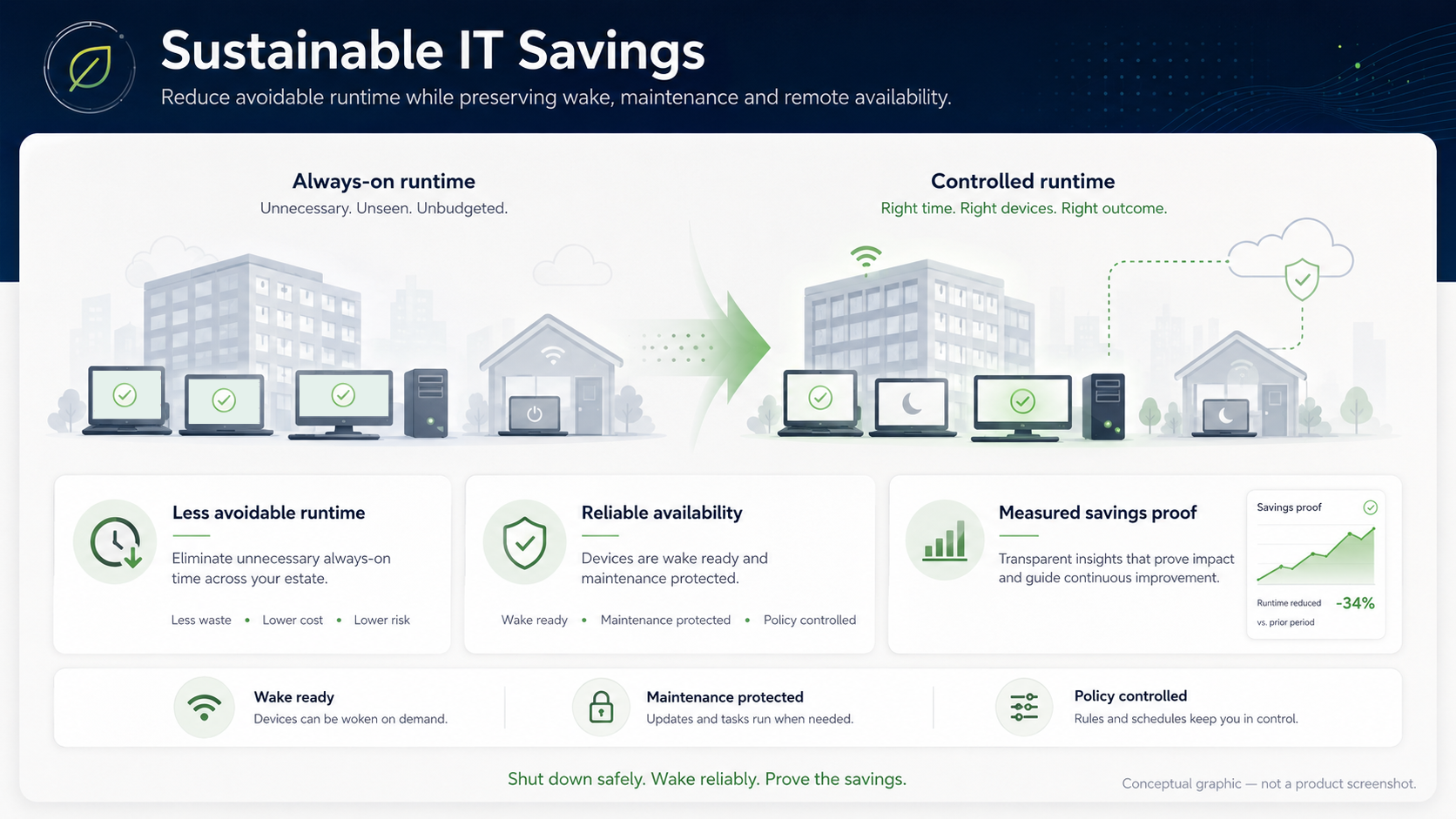
From always-on runtime to controlled endpoint availability
This conceptual graphic summarizes the core idea behind Sustainable IT Savings: reduce unnecessary always-on runtime while preserving wake readiness, maintenance protection, policy control and measurable proof.
Why standard tools are not enough
Sustainable IT savings require more than a power policy
Windows, GPO, SCCM/MECM, Intune and scripts can help with parts of endpoint power management. ASDM complements them by connecting safe shutdown, reliable wake, maintenance protection and reporting into one operational process.
Reduce avoidable runtime
PCs should not run all night or weekend unless there is a real operational reason.
Static power settings are blunt
Standard policies can set sleep or shutdown behavior, but they often lack the full operational context around users, exceptions, wake, maintenance and reporting.
Central idle rules with exceptions
ASDM applies controlled idle shutdown policies with warnings, cancellation behavior and configured exceptions so runtime can be reduced without blind enforcement.
Keep users and work protected
Energy savings must not interrupt active users, presentations or important tasks.
Scripts and policies create edge cases
A script may shut down correctly in the lab but fail in daily operations when exceptions, logged-on users or local work patterns differ.
User-aware shutdown workflow
ASDM is designed for controlled power management with configured conditions, user warnings and policies that can be piloted before broader rollout.
Preserve maintenance windows
Patching, scans, backups and admin work need endpoints awake and protected at the right time.
Savings can break operations
If PCs are simply turned off, updates and maintenance can be missed. If they stay on, savings disappear.
Wake and maintenance-aware policies
ASDM connects scheduled wake, policy exceptions and maintenance workflows so endpoints can be available for planned work and return to policy afterwards.
Maintain remote availability
Remote access and support must not require keeping every PC online 24/7.
Always-on becomes the fallback
When wake is unreliable, organizations often leave PCs running so users and IT can reach them later.
Shutdown with wake-back capability
ASDM combines endpoint power policies with enterprise wake scenarios and WOL Portals where hardware, firmware and network conditions support them.
Prove the savings
IT and management need evidence before scaling a power-management rollout.
Claims are not a business case
A power plan or script does not automatically produce a credible estimate, pilot result or management-ready savings story.
Estimate, validate and report
ASDM supports the business case with reporting and an ROI path so organizations can estimate savings, validate them in their own environment and scale responsibly.
Safe adoption path
Start with a pilot instead of a promise
Endpoint energy savings should be validated in your own environment. Hardware, firmware, user behavior, network wake conditions and maintenance routines all influence the result.
Baseline runtime
Identify where endpoints stay powered without a clear operational reason.
Pilot policy
Apply controlled idle rules to a limited group with warnings and exceptions.
Validate availability
Test wake, remote access and maintenance behavior before wider rollout.
Measure and scale
Use evidence from the pilot to refine rules and build a management-ready case.
Runtime reduction, not security replacement
Power management is not a security product — but unnecessary runtime is still unnecessary exposure
ASDM does not replace endpoint protection, patching, hardening or incident response. It can support operational exposure reduction by helping avoid unnecessary endpoint runtime while preserving wake-up, maintenance and remote-access availability.
FAQ
Sustainable IT savings and endpoint power management
Is this mainly about Green IT or about IT operations?
Both can matter, but the operational side must come first. If shutdown breaks patching, remote access or users' work, the savings program will fail. ASDM is positioned as controlled endpoint power management, not generic sustainability marketing.
Does ASDM guarantee a certain saving?
No. Savings depend on device count, current runtime, electricity prices, user behavior, policies, hardware and network conditions. The responsible path is to estimate, pilot, measure and scale.
What does “up to 80%” mean?
It should be read as a documented scenario-specific proof point, not a universal promise. Strong savings examples are useful, but every organization should validate runtime, wake behavior, maintenance windows and electricity assumptions in its own environment.
Can we include IT-admin time and user productivity in the business case?
Yes, but carefully. The power bill is easier to measure. Reduced manual effort, fewer local-hands requests and fewer user interruptions are operational value factors that should be described honestly and validated during a pilot where possible.
Can we still run patching and scans at night?
Yes, where configured policies and environment conditions support the schedule. The goal is to keep endpoints available for planned work and avoid leaving them powered unnecessarily afterwards.
Can remote users still access their PCs?
They can where wake, network and portal scenarios are configured and validated. ASDM is designed to combine runtime reduction with reliable wake availability instead of forcing every PC to stay online.
Does ASDM replace SCCM, MECM, Intune or GPO?
No. ASDM complements Microsoft endpoint management. It adds the operational shutdown, wake, exception-handling and reporting layer around tools that already manage policies, deployments and devices.
Shut down safely. Wake reliably. Prove the savings.
Build the energy-savings case without sacrificing endpoint availability
Start with a controlled pilot, validate wake and maintenance behavior, then use the ROI Calculator and reporting path to decide where rollout makes sense.